Live AI Analysis — Loading...

Free AI Player Prop Analyzer

Propeller Picks is a free player prop analyzer with AI-assisted, plain-language research for DFS and pick'em platforms. Choose a sport, search current player lines, and read the model's over-or-under direction with confidence context. No account or betting jargon is required, and Propeller Picks never places entries or wagers.

Free No account required
5 Sport tabs
DFS Designed for pick'em
Independent No wager placement

Search current player props with the free AI analyzer

Help finding a player

Plain-language DFS research

What does an AI player prop analyzer actually show?

A player prop analyzer compares a specific player-stat line with relevant sport data and returns a directional research signal. Propeller keeps the output simple: the player, stat, line, over-or-under lean, confidence context, and documented limitations. It does not submit an entry or tell you an outcome is certain.

Analyzer, not optimizer: Propeller helps research one displayed player line at a time. It does not build, rank, or submit DFS entries. See the plain-language difference.

Designed for player-line research on

Platform names describe the research workflow. Propeller is independent and is not affiliated with, endorsed by, or connected to these platforms.

How the AI Prop Analyzer Works

Propeller starts with the listed line, evaluates the sport-specific signals that are available, and summarizes the result as a directional confidence score. The exact inputs vary by sport and data availability.

1. Read the Exact Line

PLAYER · STAT · LINE

The analysis is attached to a specific player, stat type, and line. A different line can produce a different research conclusion, so the displayed number always matters.

2. Evaluate Available Signals

SPORT-SPECIFIC

Depending on the sport and market, signals can include role, injuries, matchup, recent form, game environment, historical performance, and market context.

3. Combine the Evidence

AVAILABLE DATA ONLY

Propeller combines the signals that return usable evidence. Missing or unavailable inputs are a limitation to disclose, not a reason to manufacture a neutral reading.

4. Show Direction + Confidence

OVER · UNDER · NEUTRAL

The output summarizes directional conviction for the displayed line. It is a research signal, not a guarantee, calibrated probability, recommendation, or promise of profit.

Read the displayed OVER or UNDER direction first, then the 50–100 model-confidence score. Values near 50 are closer to neutral; higher values show stronger support for the displayed side. The score is not a win probability or guarantee. Read the full methodology for signal definitions, missing-data behavior, and current limitations.

Player search field guide

Can’t find a player? Check the name and the public view.

Choose the intended sport, then enter a distinctive part of the player’s name. The analyzer searches that sport’s loaded public preview. An empty field waits for a search; “No Results” means the entered name found no matching rows. If you change sports, enter the name again. Check the player, stat and displayed line before using the research. A missing match does not establish an injury or sport removal.

By Scott Olmer, designated author and editorial owner. Produced and reviewed through automated AI workflows.
Guide updated .

What the dated player search showed

In an AI-operated check on September 10, 2026, selecting MLB and searching Ben Rice returned a matching public card. That historical walkthrough shows the search sequence, not his current availability or a recommended line.

The useful sequence is sport, name, then card. A name alone does not tell the whole story: the selected sport determines which public rows the field can search. The examples below show how the text match works without relying on a real player being available today.

What text does the name field match?

Try part of the name as it appears on the player label. Capital letters do not change the match, and spaces before or after the name are ignored. You do not need the full name, but the text you enter must occur in the name being searched.

These fictional rows use Alex Lane for points, Blake Lane for rebounds and Casey Reed for points. They were passed through the analyzer’s name-matching code locally. They are teaching examples, not live props, and the matching names are not a ranking.

Fictional name-search examples using three mock public rows.
Text enteredMatching fictional namesWhat it demonstrates
laneAlex Lane; Blake LaneA name fragment can match more than one player.
LANE with a leading and trailing spaceAlex Lane; Blake LaneCapitalization and outer spaces do not change this match.
CaseyCasey ReedA first-name fragment can match a returned label.
pointsNoneThe field tests names, not the rows’ stat labels.
A. LaneNoneThis abbreviation does not occur in “Alex Lane”; try “Lane.”
Empty fieldNo cards shown; start-search messageLoaded rows can exist while the interface waits for a name.

A shared surname can return several players, as “lane” does here. Use a longer part of the name to narrow the match, then read each card. Several matching props do not necessarily mean several different players.

A blank input retains the mock rows internally, but the display asks for a name instead of showing cards. Likewise, “points” fails here because none of these names contains that text. The search does not look at their points stat.

Which empty state are you looking at?
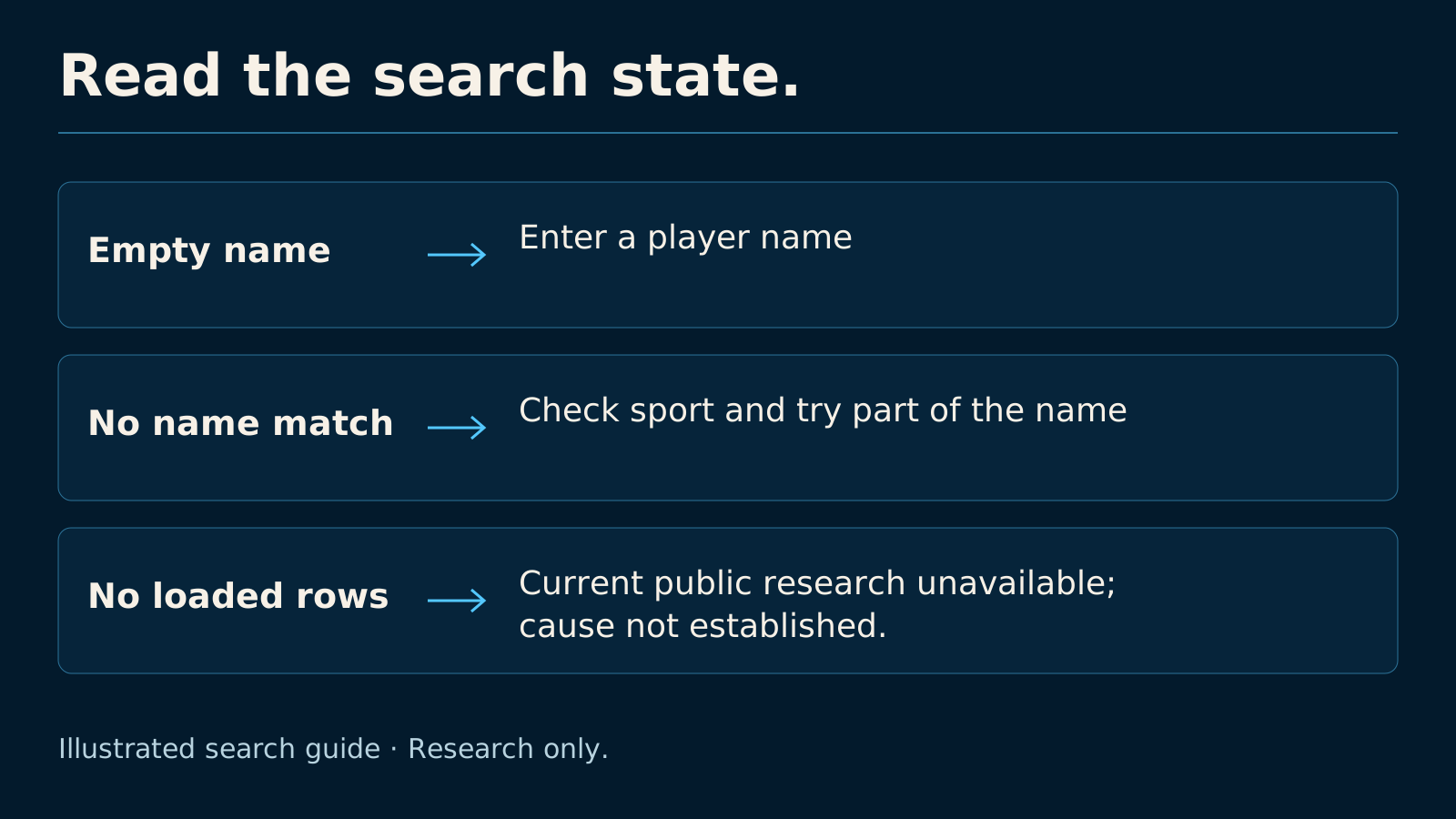
Three search states call for different next steps: enter a name, retry the selected sport and name, or treat public research as unavailable without guessing why.
Illustrated search guide · Research only.

Three steps to retry without guessing

  1. Clear the name. Read the selected sport’s availability message before trying more spellings.
  2. Check the sport. If no rows are loaded, use “Find a sport with current props” when offered, or select your intended sport. The button checks other sports for props; it does not search for your player. It may find nothing. Enter a distinctive name fragment after a sport change.
  3. Inspect the card. Confirm its player, stat and line using the line comparison guide. If no match appears, leave that player’s public research unavailable instead of assigning a reason.

For an empty sport tab, see supported versus available coverage. For questions about how current the evidence is, see the freshness guide.

Source note: search, display and sport-switch code checked October 15, 2026. That source check and the fictional exercise are separate from the September 10 browser observation.

Return to player search

Explore the Research Workspace

This page provides free player-line research without an account. Open the Propeller web app when you want the fuller workspace and the current set of available research tools.

Explore Propeller Open the Web App

Public tools stay free. Account access terms are shown in the app.

AI Player Prop Analyzer FAQ

Search matches player-name text within the selected sport’s loaded public preview. Check the sport, clear the field to inspect availability, then retry part of the name. No match alone does not explain an injury, schedule or permanent sport removal.
Yes. Propeller's public player prop analyzer is free to use without payment or an account. It supports research on available current player lines; slate availability varies, and Propeller does not build or submit entries or accept wagers.
A free AI player prop analyzer is a research tool that compares a listed player-stat line with sport-specific signals and returns a directional over-or-under read. Propeller shows available lines, model confidence, and supporting context without requiring users to learn sportsbook jargon or place a wager.
Choose a sport, search for a player, and open an available prop. Read the exact line, over-or-under direction, and confidence together. Then confirm the current line on your DFS or pick'em platform and review Propeller's methodology and limitations before making your own decision.
Propeller was designed for researching player lines used by DFS and pick'em platforms such as PrizePicks, Underdog, and DraftKings Pick6. Platform names describe the intended research workflow only. Propeller is independent, is not affiliated with those platforms, and does not submit entries or accept wagers.
Yes. The player prop analyzer on this page can be used without payment or account creation. Current slates depend on available player lines and data, so a sport may show no current props between games or during the offseason.
The analyzer currently provides sport tabs for NBA, NHL, MLB, NFL, and soccer. Available props depend on the active slate and incoming data; an empty tab does not mean the sport is permanently unsupported.
Propeller displays a More/Over or Less/Under direction plus a 50–100 model-confidence score. Higher values show stronger support for the displayed side. Confidence is not a guaranteed outcome or a calibrated win probability.
Player availability, injuries, starting roles, weather, line movement, and source data can change after analysis. Always verify the current player, stat, line, platform rules, and event status. Propeller provides research context, not gambling advice, and does not promise accuracy or profit.
No. Propeller’s public analyzer helps you evaluate one displayed player-stat line with available context and a directional confidence score. It does not build, rank, or submit DFS entries.